How to Cheat in Chess.com With a Browser Extension
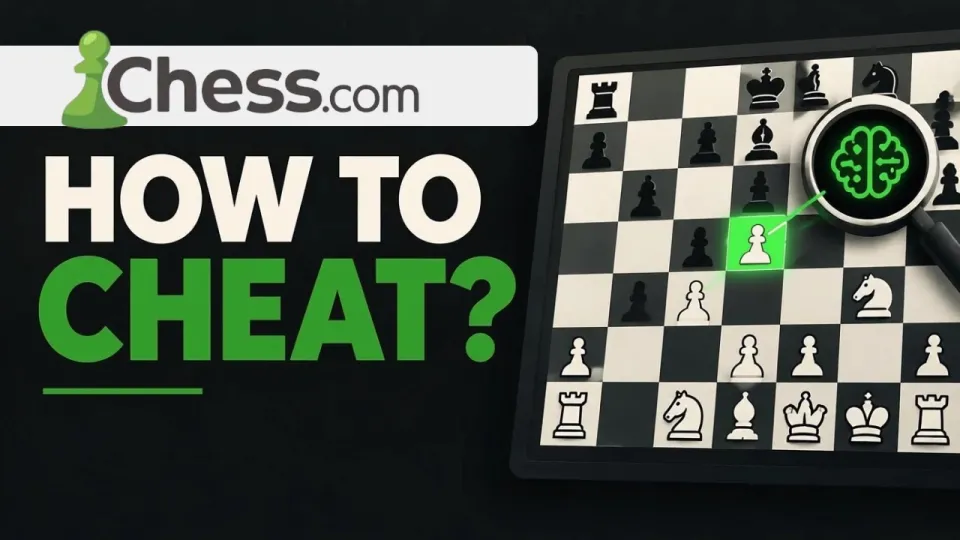
Video: How to cheat in Chess.com (Chess.com cheats)
· based on the channel Matyc
Cheating in Chess.com usually means running an engine such as Stockfish alongside the board and copying its moves, and the method shown in Matyc's breakdown does this through a browser extension distributed on the xmods.cc item page. The extension overlays engine suggestions on the live board in the desktop web version of the site, so the player reads the best move instead of calculating it. It is fast to install, but it is also exactly the pattern Chess.com's anti-cheat is built to detect.
What the Chess.com cheat extension actually does
The tool is a userscript-style add-on that injects a panel into the Chess.com web interface and feeds the current position to a chess engine. In practice the workflow looks like this:
- You install a userscript manager (Tampermonkey or a similar extension) in a Chromium-based browser or Firefox.
- You open the xmods.cc page for the Chess.com item and add the script to the manager.
- You log in to Chess.com in the same browser and start a game; the panel appears next to the board.
- The script reads the position from the page, sends it to an engine, and displays the recommended move and an evaluation bar.
- You play the suggested move manually, ideally after a short pause so the timing looks human.
The engine behind tools like this is normally Stockfish, running either locally in a WebAssembly build or on a remote server. The overlay does not change the Chess.com servers, your account data, or the result of the game directly: it only gives you information. That distinction matters, because everything Chess.com detects is derived from how your moves look over time, not from whether a script is present in your browser.
Does the Chess.com anti-cheat catch extension users
Yes, and the detection does not depend on finding the extension on your computer. Chess.com's fair play team analyses move quality statistically: it compares each move with what a strong engine would play, measures how often the top suggestion is chosen, how consistent the accuracy is across a whole game, and how that accuracy relates to your rating history. A 900-rated player who suddenly plays 25 engine-perfect moves in a row produces a signal that is very hard to hide.
Several behaviours raise the score quickly:
- Uniform thinking time. Engine users often move at a constant pace regardless of position complexity, while humans slow down in sharp positions.
- High accuracy in losing positions. Humans blunder more when under pressure; engine users do not.
- Long win streaks followed by abrupt rating jumps. Rating graphs are reviewed directly in manual reports.
- Reports from opponents. Losing players report suspicious games, and reported games get priority review.
Bans on Chess.com typically come as account closure, rating reset, or a temporary restriction, and the site publishes fair play statistics regularly. New accounts created after a ban are also linked and closed, which is why "just make another account" does not work as a workaround.
Why the extension does not work in the Chess.com app
Browser extensions only run inside a desktop browser, so the method described in the video is limited to the web version of Chess.com at chess.com. The iOS and Android apps do not support userscripts or third-party extensions, and there is no equivalent plugin route on mobile. Anyone who plays mostly on a phone will find that the panel simply never appears, which is one of the most common reasons people say the tool "doesn't work" for them.
A second limitation is the browser itself. Modern Chrome and Edge versions restrict userscript injection on some pages, and Chess.com periodically changes its board markup, which breaks scripts that read the position from the DOM. A script that worked last month can silently stop producing moves after a site update, and the fix depends on the script author shipping a new version.
Common problems when installing the cheat
The most frequent complaints around this kind of tool are installation issues rather than chess issues. If the panel does not show up, check these points in order:
- Confirm the userscript manager is enabled and the script appears in its dashboard with the Chess.com domain in the match list.
- Disable other extensions that block scripts, such as ad blockers with aggressive script filtering.
- Reload the Chess.com page fully after installing; the script only injects on a fresh load.
- Check that you are on the live game page, not the analysis board or the puzzle page.
- Verify that the script version matches the current Chess.com layout; outdated scripts fail silently.
If the overlay appears but shows no evaluation, the engine component is usually the problem: a blocked remote engine request, a missing WebAssembly build, or a firewall. None of these fixes change the underlying risk, since a working installation is more detectable than a broken one.
Risks of using chess cheats on Chess.com
The direct risk is losing the account and the rating you built on it. Chess.com's Fair Play policy covers all forms of engine assistance, including external engines, browser overlays, and second devices, and it applies to bullet, blitz, rapid, and daily games alike. Penalties range from a rating reset to a permanent ban, and titles and prize eligibility can be affected for titled players.
There are secondary risks as well. Userscripts and extensions from third-party sites run with broad permissions in your browser, which means they can read pages you visit and, in the worst case, capture login credentials. Downloading an unknown script to gain a few hundred rating points is a poor trade against a compromised account, and antivirus tools frequently flag chess cheat bundles as potentially unwanted software.
Alternatives that improve your Chess.com rating legitimately
If the goal is a higher rating rather than a shortcut, the same engine that powers the cheat is available for training without any risk. Chess.com's own analysis board, the Game Review feature, and unlimited puzzles on a paid plan all use engine evaluation to show where you went wrong. Playing longer time controls, reviewing every loss for one repeated mistake, and drilling tactics daily produces slower but permanent gains.
Opening trainers and endgame drills address the two areas where club players lose most points, and both are built into the site. None of this requires a third-party extension, and none of it can get an account closed.
Video source and link
The breakdown was published by the Matyc channel and points to a single download page for the Chess.com script:
- https://xmods.cc/item/9 — the Chess.com cheat page linked in the video description
Final verdict on Chess.com cheats
The extension method shown by Matyc is technically simple: a userscript manager, one script from the xmods.cc page, and an engine overlay on the desktop board. It works only in the browser, breaks whenever Chess.com changes its interface, and leaves a statistical trail that the site's fair play team is specifically designed to read. For anyone curious about how these tools function, the xmods.cc Chess.com item page is where the video sends viewers, but the practical outcome is usually a closed account rather than a higher rating. The Matyc video is a clear walkthrough of the installation side; the consequences side is documented in Chess.com's public fair play reports.
Key takeaways
- The method shown by the Matyc channel relies on a userscript or browser extension installed from the xmods.cc page (item 9), not on modifying the Chess.com app itself.
- Chess.com's anti-cheat compares your moves with engine recommendations and flags accounts whose play matches Stockfish far above their rating level.
- Closure rates on Chess.com are high: most flagged accounts are banned or have their rating reset within days to weeks of suspicious play.
- A browser extension only works in the desktop web version of Chess.com; the mobile app has no extension support.
- Chess.com's Fair Play policy explicitly bans engine assistance in live and daily games, and bans can extend to new accounts.
Questions & answers
How do I actually use the cheat during a game?
Install a userscript manager, add the script from the xmods.cc page, then open a live game on the Chess.com website in the same browser. A panel with the engine's suggested move appears beside the board, and you play that move yourself. It does not function in the mobile app.
Why can't I find the extension or the panel?
The most common causes are an outdated script that no longer matches the Chess.com page layout, a disabled userscript manager, or an ad blocker blocking script injection. Reload the game page fully after installing and confirm the Chess.com domain is listed in the script's match rules.
Will Chess.com ban my account for using an engine?
Chess.com detects engine use statistically by comparing your moves with engine recommendations and your rating history, so a ban or rating reset is likely once enough games are reviewed. Bans apply across new accounts as well, since linked accounts are closed too.
Is there a safer way to raise my Chess.com rating?
Yes: use the site's own analysis and Game Review features, solve puzzles daily, play longer time controls, and review losses for repeating mistakes. These use the same engine evaluation for training without violating the Fair Play policy.
Source: How to cheat in Chess.com (Chess.com cheats) · Markdown version